Within OpenCRM, you have the ability to automate the Despatch of Sales Orders. There is a field labelled "Despatch Items Automatically": 
Note that by default this field is turned off and the default value of the field is blank, or "No". As soon as it is enabled, the Sales Order processing will automatically despatch ALL the line items of the Order. Auto-Despatch Items using WorkflowThe best use case for this powerful feature is to use Workflow to set this, for example, if you have a particular user who manages Credit Accounts, and those orders should be automatically despatched: 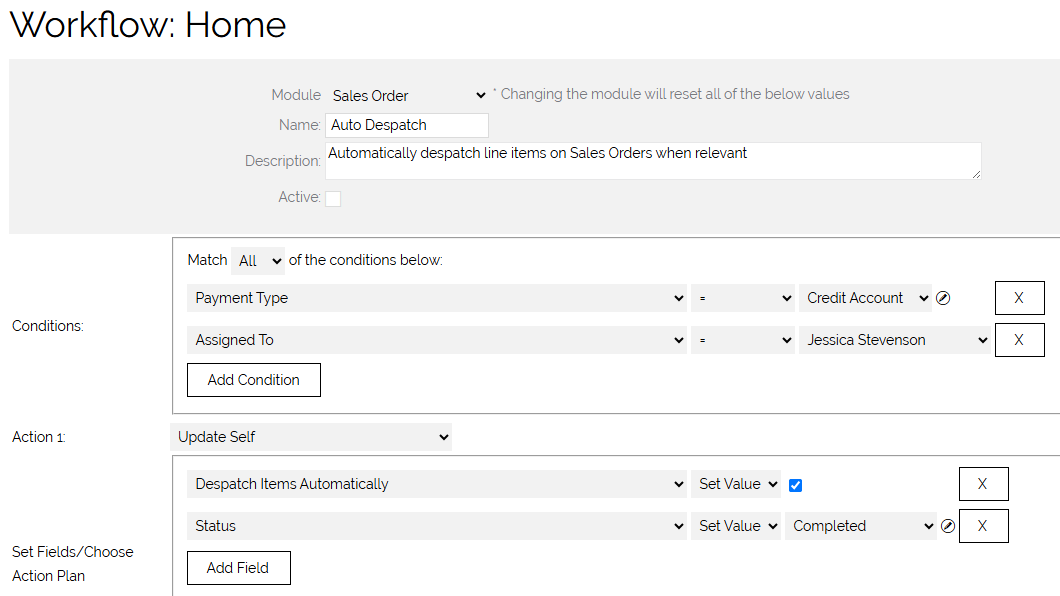
As soon as the Workflow is triggered, it will update the Sales Order as specified, and Despatch all stock items. Important to note: by default this will not trigger a Despatch Note, nor will it update the Status of the Sales Order. Creating Linked InvoicesYou can also extend your workflow that you have created to automatically create an invoice and inherit the products from the Sales Order. The fields on your workflow may differ but by adding a Create New > Invoice > Link to triggering record - you can have an Invoice be created and linked to the Sales Order when the items are set to automatically despatch. 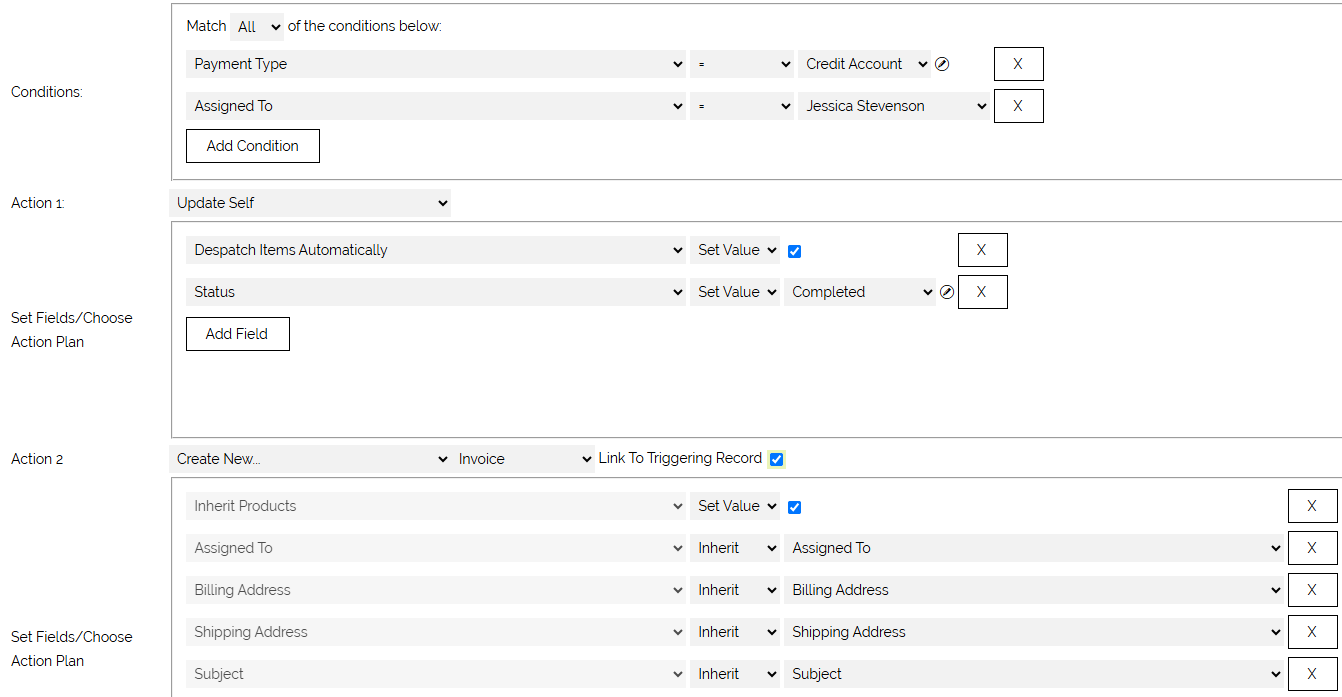
|